
WhatsApp automation for small businesses: what you can automate and how (2026)
Everything a small business can automate on WhatsApp in 2026, from greetings and quick replies to AI answers, bookings, orders, reminders and payments, and what to leave to people.
7 min readBy Gokul Hans V · Founder, Agent24
On this page
The short answer
WhatsApp automation means letting software handle the parts of your WhatsApp work that repeat: greeting new customers, answering the same questions, taking bookings and orders, sending reminders and updates, and asking for payment. Done well, customers get answers in seconds and your team only sees the chats that need a person.
What you can automate depends on which WhatsApp you use:
- The free WhatsApp Business app automates three small things: a greeting message, an away message and quick replies you tap yourself.
- The WhatsApp Business Platform (the API, through a provider) automates almost everything: replies to every message, AI answers, bookings, orders, reminders, status updates and payment links.
This guide goes through each kind of automation, what it's good for, and the rules that keep your number safe.
What you can automate on the free WhatsApp Business app
| Automation | What it does | Limit |
|---|---|---|
| Greeting message | Sent once to a new customer or after a long gap | One fixed text |
| Away message | Sent outside the hours you set | One fixed text |
| Quick replies | Saved answers you insert with a shortcut | You still type and send each one |
| Labels and catalog | Organise chats and show products | Manual |
For a business getting a handful of messages a day, this is enough. Once you miss messages at night, answer the same question twenty times a day, or need two people on one number, it's time for the Business Platform. More in WhatsApp Business app vs. the WhatsApp Business Platform.
What you can automate on the WhatsApp Business Platform
1. A welcome with buttons
The first message a customer gets: a short welcome and up to three buttons ("Book", "Prices", "Location"), plus replies to keywords. Cheap and predictable, and good for pointing people to your links. On Agent24 this is the welcome menu, included in the Free plan.
2. Answers to every question
This is where an AI agent replaces the keyword bot. It reads the actual message, typos, voice notes and mixed languages included, and answers from your price list, menu, files and policies. The important part is what it does when it doesn't know: hand over to a person and tell your team, never guess. See What is a WhatsApp chatbot? for the three kinds of bot.
3. Bookings and appointments
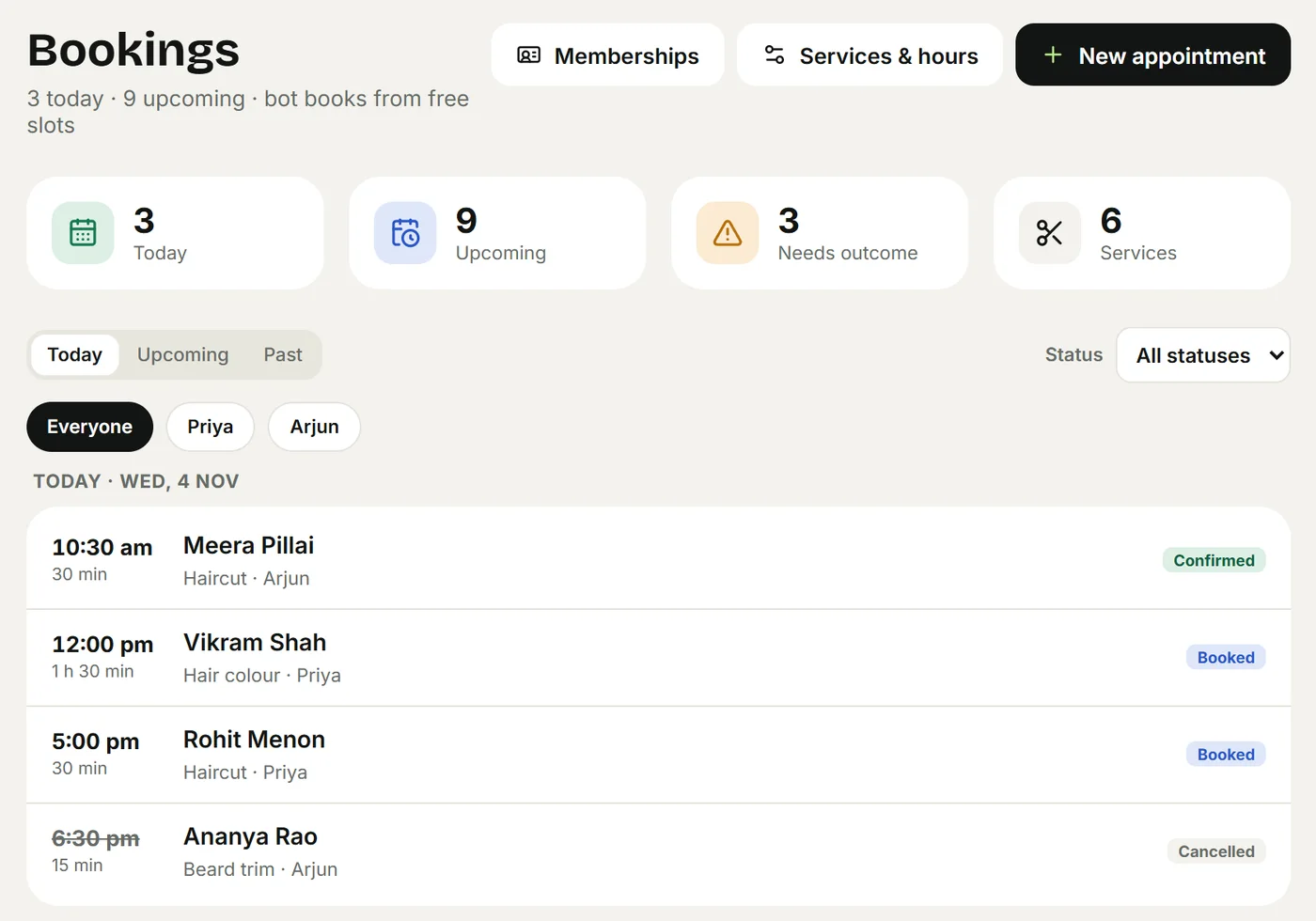
Salons, clinics, tutors, studios: the agent finds a free slot with the right person, books it and confirms in the chat, without double booking. Group classes count seats; memberships count sessions. You decide whether the bot books on its own or your team confirms each request. See Appointments, classes and memberships.
4. Room stays
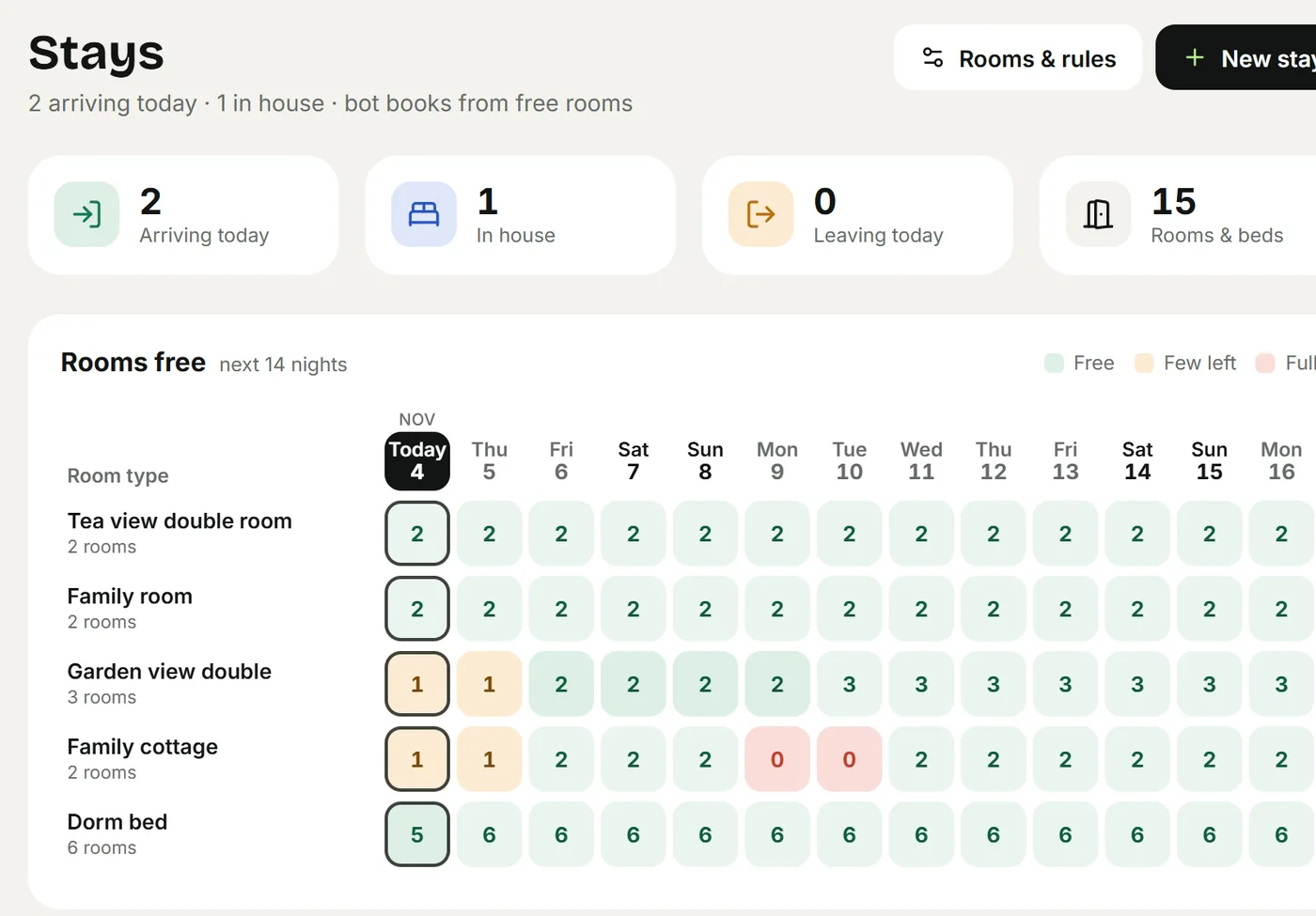
Homestays and small hotels need availability per night, not per slot: the agent checks every night of the stay, quotes the total with weekend rates, extra guests, meals and tax, and holds or books the room. Calendars from Airbnb and Booking.com stay in step. See Rooms and stays.
5. Orders
Cafés, bakeries, restaurants and shops: items with sizes and add-ons, a note per item ("Happy birthday Anu"), pickup or delivery with a time, a daily limit, then a status update at each step. See Products, stock and orders and Restaurant menu, tables and QR ordering.
6. Reminders
The day before an appointment or check-in, a reminder with Confirm and Cancel buttons. Customers tap instead of typing, cancelled slots open up again, and no-shows drop. Reminders go as approved templates because they're often outside the 24-hour window.
7. Status updates
"Your order is ready", "your booking was moved to 4 pm", "your clothes are out for delivery". Each update the customer would otherwise ask about is one less message for your team.
8. Payment links
An advance for a room, a deposit for a cake, the bill for a delivery order: the agent sends a payment link from your own payment account, and the booking or order confirms itself when it's paid. See Payments.
9. Handover to your team
Not automation exactly, but what makes the rest safe: when a customer is upset, asks for a refund, or asks something the agent can't know, the chat goes to a person and your team gets a notification. A person can take over any chat and hand it back to the bot. See Rules and handover.
10. A customer record that fills itself
Every chat lands on a contact with the details the customer shared (name, area, date, what they asked for), so you can filter and follow up later. See Contacts and CRM.
And broadcasts?
Sending offers to your whole customer list is also WhatsApp automation, and platforms like WATI, AiSensy and Interakt are built around it. It's a separate job from answering customers, with stricter rules (opt-in, marketing templates, higher message charges). Agent24 doesn't do bulk campaigns. If that's your main need, see our pricing comparison for tools that do.
What to keep human
Automate the repeatable, keep people for the rest:
- Complaints, refunds and anything about money already paid.
- Custom work you price yourself: a wedding order, a group booking, a special request.
- Medical, legal or financial advice. A clinic's agent should book and answer practical questions, never diagnose.
- Anything where a wrong answer costs more than a slow one.
Write these down as rules for the agent, so it hands them over every time.
The rules that keep your number safe
- The 24-hour window. A customer's message opens a 24-hour window for free-form replies. Outside it, a business can only start with a template approved by Meta.
- Templates by category. Meta sorts templates into marketing, utility (reminders, updates) and authentication, and charges them differently.
- Opt-in. Message people who asked to hear from you. Customers who block or report your number lower its quality rating and can limit what you're allowed to send.
- Message charges. Set by Meta per category and country. In India, since 1 October 2026, the first 1,000 replies inside the 24-hour window each month per number are free, then charged.
A good provider handles templates for you. Agent24 registers the templates it needs (reminders, booking and order updates) in your WhatsApp account, in your customers' languages.
How to start, in order
- Write down your top ten questions and their answers. That's your first automation, and the base for everything else.
- Collect what you already have: price list, menu, brochure, policies. Upload them as they are.
- Turn on one job: bookings, rooms or orders, whichever brings in money.
- Set the handover rules before anything goes live.
- Test it like a customer, in their languages, with voice notes and awkward questions.
- Connect your number and read every chat for the first week.
- Add reminders and payment links once bookings or orders flow.
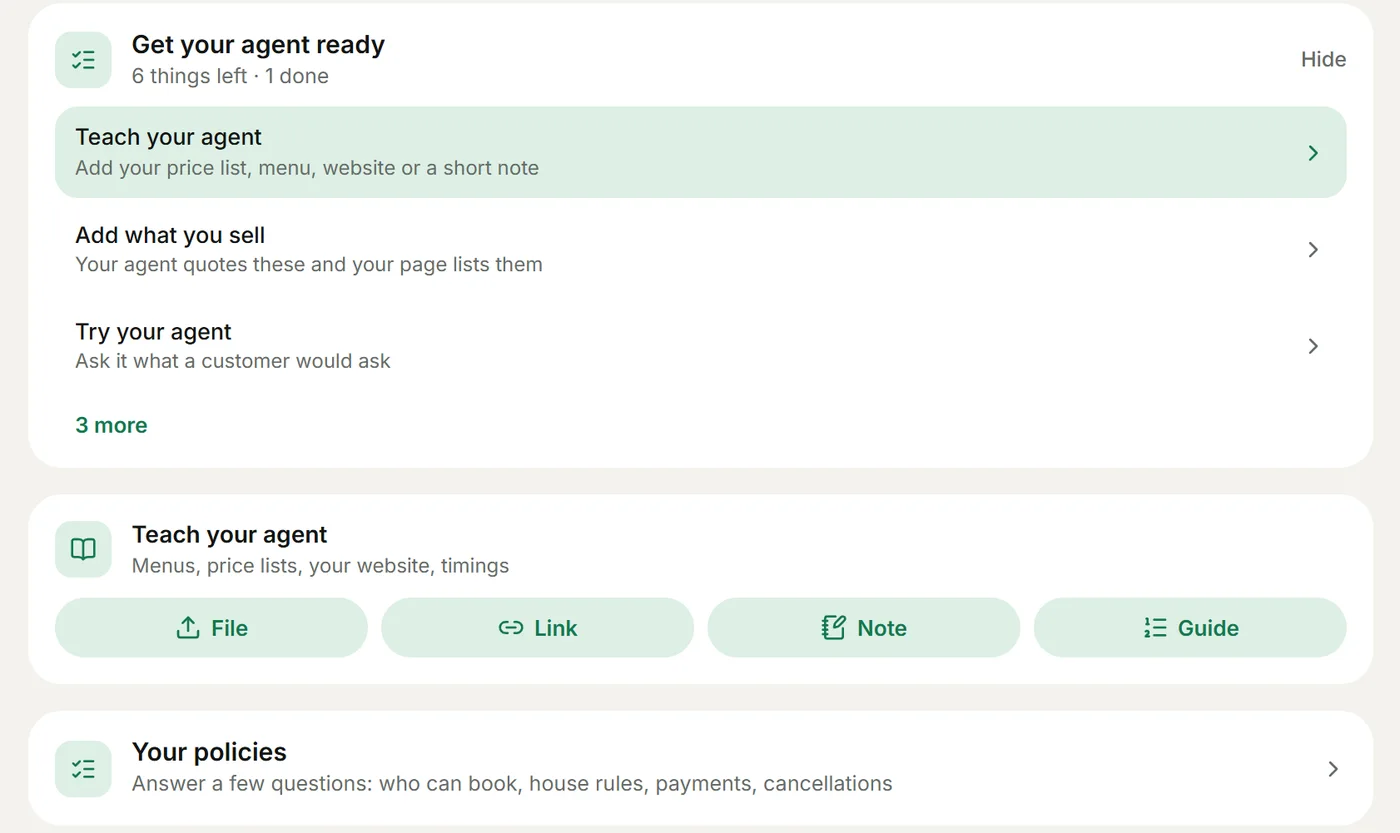
With Agent24 the first five steps happen before you connect WhatsApp: the guided start writes the agent's instructions from a few lines about your business and builds your website, and you try everything in a private test chat. See Getting started.
Frequently asked questions
Can I automate WhatsApp for free?
Partly. The free WhatsApp Business app has greeting messages, away messages and quick replies. On the WhatsApp Business Platform, Agent24's Free plan connects your number with a welcome menu of buttons and keyword replies; AI answers, reminders and payment links are on Pro. Meta's own message charges apply on any provider.
Is WhatsApp automation allowed?
Yes, on the WhatsApp Business Platform, which Meta built for it. Unofficial tools that automate the normal WhatsApp app break its terms and can get the number banned. Use an official provider.
What is the best WhatsApp automation tool for a small business?
It depends on the job. For bulk marketing to a large list, platforms built around broadcasts fit best. For a salon, clinic, homestay, café, restaurant or shop that wants an AI agent to answer, book and sell, a tool with those jobs built in fits better. Our comparison pages say honestly which is which.
Can WhatsApp automation send reminders?
Yes, as approved templates, because a reminder usually goes outside the 24-hour window. Agent24 sends appointment reminders about a day before and stay reminders the day before check-in, with Confirm and Cancel buttons.
Will automation make my business feel impersonal?
Only if it's done badly. Fast, correct answers in the customer's language, in your own tone, with a person one message away, feel more personal than a reply the next morning. See How to automate WhatsApp replies without sounding like a robot.
Keep reading
- BlogWhat is a WhatsApp chatbot? How it works, the three kinds and how to set one up (2026 guide)A WhatsApp chatbot answers customers on WhatsApp automatically. How it works, menu bots vs. flow bots vs. AI agents, what it costs, and how to set one up well.
- BlogWhatsApp AI chatbot pricing in India compared: Agent24, WATI, Interakt, AiSensy, Gallabox, DoubleTick and more (2026)What WATI, Interakt, AiSensy, Gallabox, DoubleTick, Zoko, Respond.io and Agent24 really cost a small business in 2026: AI add-ons, seats and message charges.
- BlogHow to automate WhatsApp replies for a small business (without sounding like a robot)A practical guide to answering WhatsApp customers 24/7 with AI: what to automate, what to keep human, and how to set it up in an afternoon.
- CompareAgent24 vs WATI: an honest comparison for small businesses (2026)Agent24 or WATI? What each does well, prices read on 4 November 2026, and which one fits a salon, clinic, homestay, café or shop on WhatsApp.