
What is a WhatsApp chatbot? How it works, the three kinds and how to set one up (2026 guide)
A WhatsApp chatbot answers customers on WhatsApp automatically. How it works, menu bots vs. flow bots vs. AI agents, what it costs, and how to set one up well.
10 min readBy Gokul Hans V · Founder, Agent24
On this page
- Too long? Read this first
- What is a WhatsApp chatbot?
- How a WhatsApp chatbot works
- The three kinds of WhatsApp chatbot
- What businesses use WhatsApp chatbots for
- How to set up a WhatsApp chatbot
- Best practices that make a chatbot good
- Mistakes to avoid
- How to measure it
- What a WhatsApp chatbot costs
- Frequently asked questions
Too long? Read this first
- A WhatsApp chatbot is software that answers the messages customers send to a business's WhatsApp number, without a person typing each reply.
- It runs on the WhatsApp Business Platform (often called the WhatsApp Business API), not on the free WhatsApp Business app. A provider connects your number and the bot to it.
- There are three kinds: menu bots (buttons and keywords), flow bots (a chat built step by step like a form) and AI agents (they read the message, answer from your own information and can book, sell and hand over to a person).
- A good one answers in seconds at any hour, never invents an answer, and passes the hard chats to your team.
- You pay the provider for the software and Meta for some messages. Since 1 October 2026, replies inside the 24-hour window are free for the first 1,000 a month per number in India, then charged.
What is a WhatsApp chatbot?
A WhatsApp chatbot is a program connected to a business's WhatsApp number that reads incoming messages and replies on its own. To the customer it looks like any WhatsApp chat: they write "Is the room free this Saturday?" and get an answer, often with buttons, a photo or a payment link.
The word covers very different things. A bot that sends "Hi! Press 1 for prices, 2 for timings" is a chatbot. So is an AI agent that understands "2 adults 1 kid sat-sun how much with breakfast?", checks the real room calendar, quotes the total and holds the room. The difference matters far more than the label, so most of this guide is about choosing the right kind.
How a WhatsApp chatbot works
Under the hood, every WhatsApp chatbot follows the same path:
- The customer sends a message to your business number.
- WhatsApp passes it to your provider through the WhatsApp Business Platform. Meta runs the platform; providers (WATI, AiSensy, Interakt, Gallabox, Agent24 and many others) connect your number to it.
- The bot decides what to answer. A menu bot matches the button or keyword, a flow bot moves to the next step, an AI agent reads the whole conversation with your business information and decides.
- The reply goes back through the platform and arrives in the customer's chat, usually within a few seconds.
- A person takes over when needed. Every serious setup has a shared inbox where your team sees the chats, replies and hands back to the bot.
The 24-hour window and templates
WhatsApp has one rule every business must plan around. When a customer messages you, a 24-hour customer service window opens. Inside it, the bot (or your team) can send any reply. Outside it, a business can only start the conversation with a template: a message approved by Meta in advance, such as an appointment reminder or an order update, often with buttons.
This is why reminders, order updates and "your room is confirmed" messages are templates, and why a good chatbot provider registers the templates you need for you.
The WhatsApp Business app vs. the Business Platform
The free WhatsApp Business app on your phone has a greeting message, an away message and quick replies. Useful, but it can't run a real chatbot: there's no way to connect software that reads and answers every message. A chatbot needs the WhatsApp Business Platform. We explain the difference in detail in WhatsApp Business app vs. the WhatsApp Business Platform.
The three kinds of WhatsApp chatbot
| Menu bot | Flow bot | AI agent | |
|---|---|---|---|
| How it answers | Buttons and keywords you set | Steps you draw in a flow builder | Reads the message, answers from your information |
| Understands free text | Only exact keywords | Only at the step it expects | Yes, including typos, voice notes and mixed languages |
| Setup | Minutes | Hours to days per flow | Describe the business, add your price list |
| Bookings and orders | Sends a link | Collects details step by step | Checks the real calendar or menu and completes it |
| When it fails | Repeats the menu | Customer gets stuck in the flow | Should hand over to a person |
| Best for | A welcome with your main links | Fixed, form-like journeys | Real conversations with customers |
Menu bots
A welcome message with a few buttons ("Book", "Prices", "Location") and replies to keywords. They are cheap, predictable and good at one thing: pointing people to the right link. They can't answer "do you have parking?" unless you thought of that keyword. Agent24's free plan includes one, the welcome menu, for businesses that want buttons without AI.
Flow bots
A flow is a chat drawn like a flowchart: ask the name, ask the date, show three options, confirm. Flow builders are powerful for fixed journeys like lead forms, but every new question means a new branch, and customers who type something unexpected get stuck. Most WhatsApp platforms sell a flow builder.
AI agents
An AI agent uses a language model to read each message in context and answer from what you've taught it: your price list, menu, policies and files. A capable one also acts: it checks a free slot, books it, adds a cake to an order, sends a payment link, and tells your team when a chat needs a person. This is where WhatsApp chatbots are heading, and it's what Agent24 is built around. More on getting the tone right in How to automate WhatsApp replies without sounding like a robot.
What businesses use WhatsApp chatbots for
- Answering the same questions all day: prices, timings, location, "is it available?", "do you deliver here?".
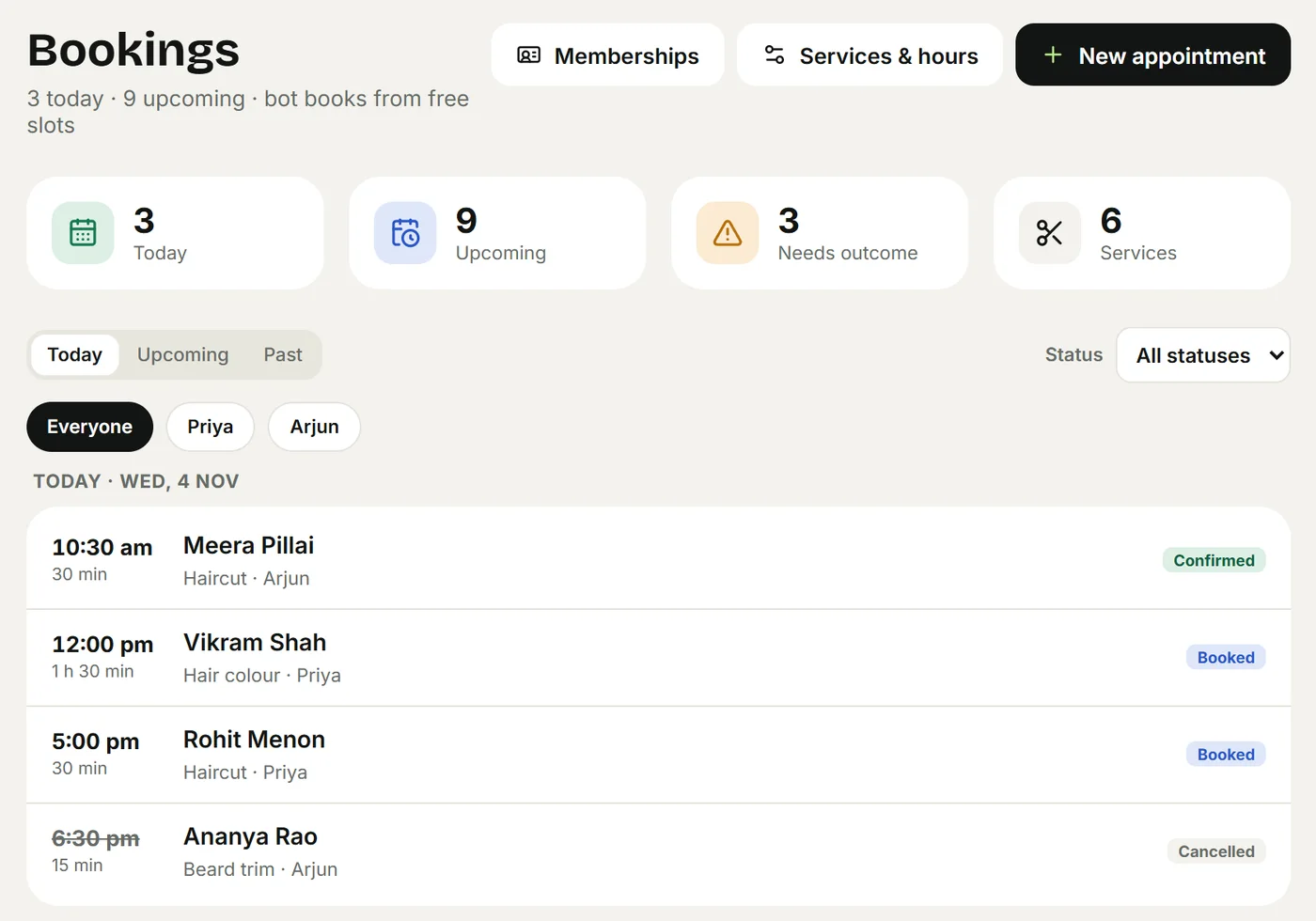
- Appointments for salons, clinics, tutors and studios: find a free slot with the right person, book it, remind the day before. See WhatsApp booking for salons and clinics.
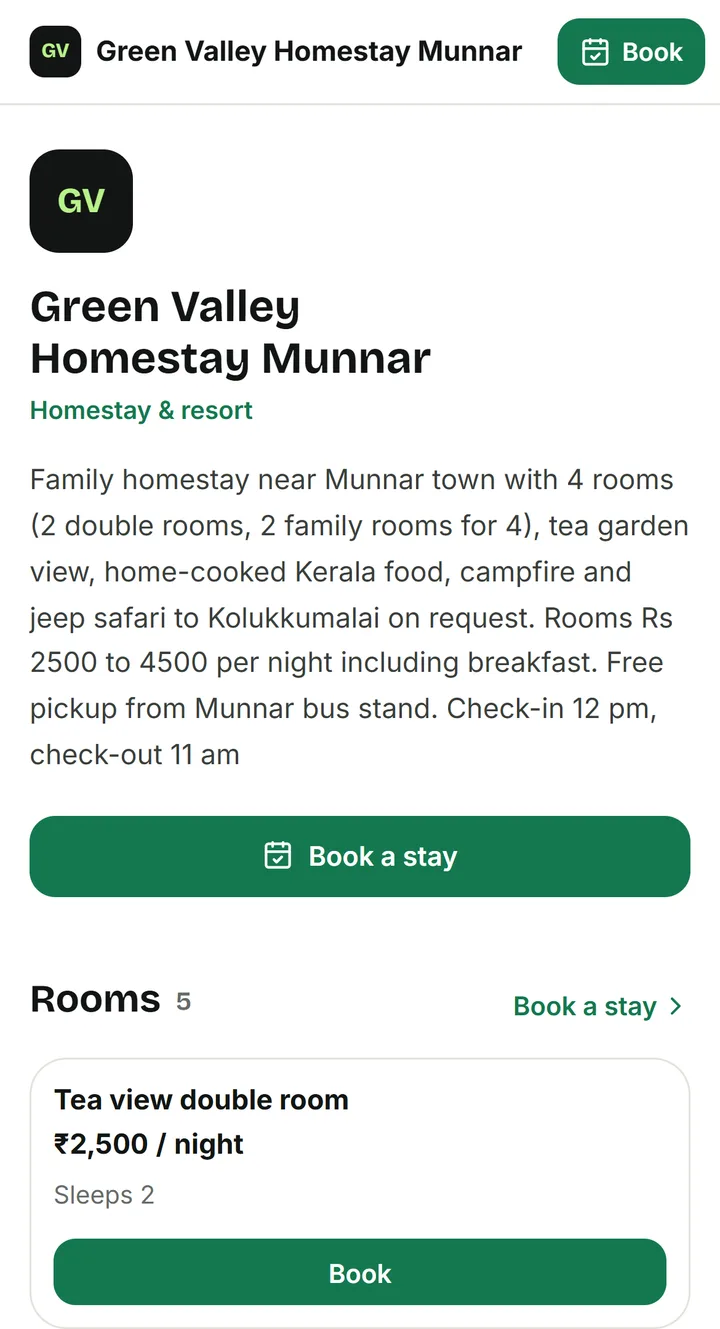
- Room bookings for homestays and small hotels: availability per night, the full quote with extras and tax, the advance payment. See Homestay bookings on WhatsApp.
- Orders for cafés, bakeries, restaurants and shops: items with sizes and add-ons, pickup or delivery, a payment link, status updates. See Restaurant QR menu and WhatsApp orders.
- Lead capture: collecting the name, need and budget before a salesperson calls.
- Updates customers asked for: order ready, booking moved, payment received.
- Marketing broadcasts: offers sent to an opted-in list. This is a different job from answering chats; many platforms are built mainly for it. Agent24 isn't.
How to set up a WhatsApp chatbot
The steps are similar on every platform. Here they are with what to watch for at each one.
- Pick the kind you need. If customers mostly ask the same three things, a menu bot may be enough. If they write freely, book or order, you want an AI agent.
- Choose a provider. Compare what you will actually pay over a year, not the headline price: AI add-ons, seats, quarterly billing, message fees. Our pricing comparison and the head-to-head pages (Agent24 vs WATI, vs AiSensy, vs Interakt, vs Gallabox) help.
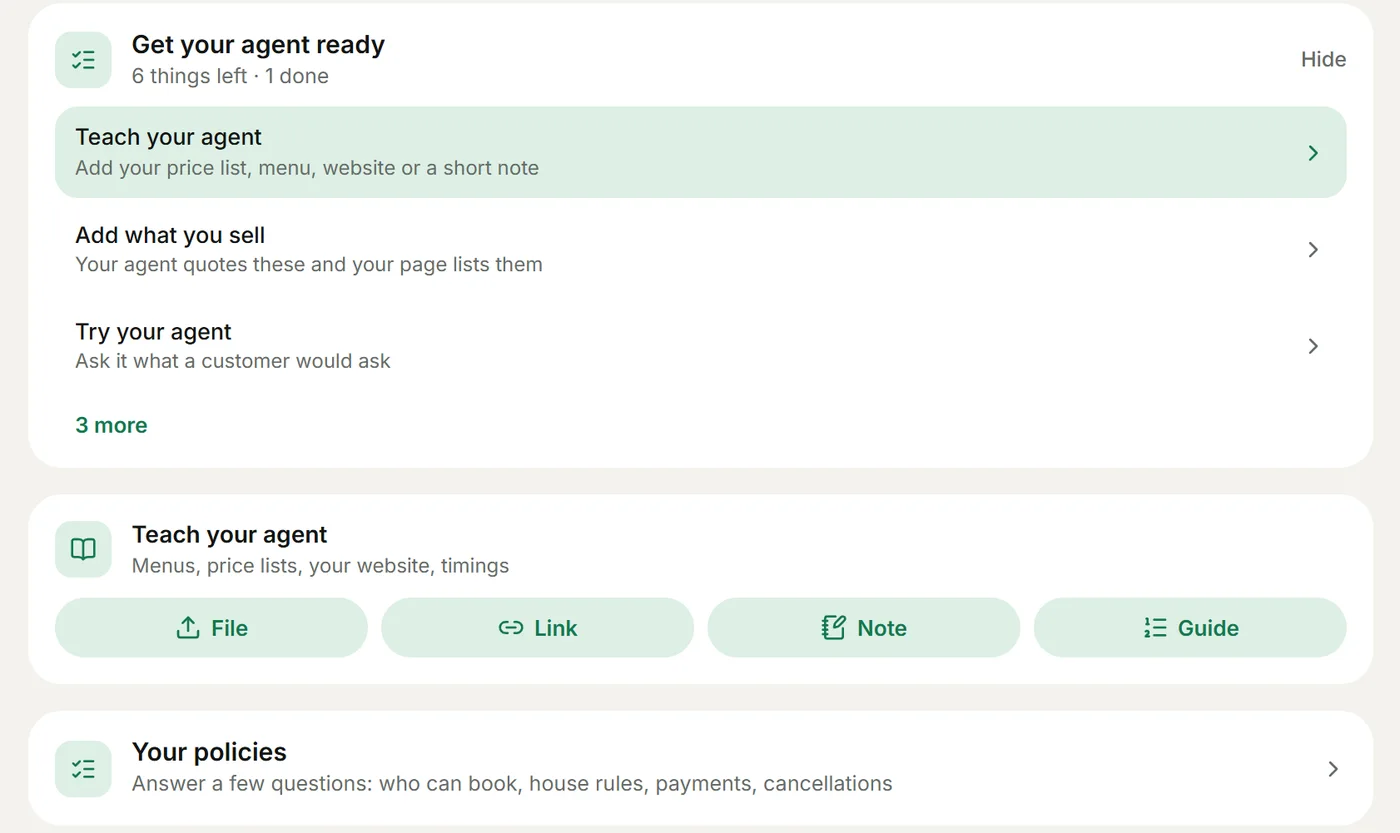
- Teach it your business. Your price list or menu as it is, hours, address, policies. With an AI agent this is mostly uploading what you already have; see Teach your agent.
- Set the rules. What must it always ask? What must it never promise? When must it hand over? See Rules and handover.
- Test it like a difficult customer. Typos, mixed languages, voice notes, "can you do it cheaper?", questions it can't know. Fix what's wrong before customers see it.
- Connect your number. Through your provider, on the WhatsApp Business Platform. A number that runs the free WhatsApp Business app may need to move over first; your provider walks you through it. See Connect WhatsApp.
- Watch the first week. Read the real chats every day and teach it what it missed.
With Agent24 you describe your business, it writes the agent's instructions and builds your website, and you try the agent in a private test chat before connecting anything. See Getting started.
Best practices that make a chatbot good
Make it sound like your business. A bakery and a clinic shouldn't sound the same. Give it your greeting, your words, your level of formality. Agent24 can learn the style from a WhatsApp chat export you upload.
Answer in the customer's language. In India that often means a mix: Manglish, Hinglish, Tanglish. A bot that only understands formal English loses those customers.
Never let it guess. The worst chatbot answer is a confident wrong price or a booking that doesn't exist. Prices, availability and totals should come from your real data, and anything else should go to a person.
Hand over quickly and say so. "Let me get the owner for this, they'll reply here shortly" is a fine answer, as long as your team is actually told.
Be clear about what it is. Customers don't mind a bot that helps them. They mind one that pretends.
Keep their data safe. Collect only what you need, tell customers how you use it, and choose a provider that encrypts its keys and lets you delete old chats. See Privacy and data.
Mistakes to avoid
- No fallback. Every chatbot meets questions it can't answer. Without a clear "a person will reply" path, customers loop or leave.
- Launching without testing. Ten minutes of asking awkward questions in a test chat saves a week of embarrassing replies.
- Overpromising. Don't let the bot confirm what only your team can confirm (a custom cake design, a refund). Set rules for it.
- Treating it as a broadcast tool. Sending unasked offers to everyone who ever messaged you gets numbers reported and blocked. Answering well is what earns repeat customers.
- Never reading the chats. The chats tell you what customers really ask. Read them weekly and teach the bot.
How to measure it
- Time to first reply. It should be seconds, at any hour.
- Chats answered without a person. Watch the trend, not a target: it rises as you teach the agent.
- Handovers. Why did each one happen? Most point to something to teach or a rule to add.
- Bookings and orders from chats, and how many arrived outside business hours.
- Repeat questions. If customers keep asking something the bot answers badly, fix that first.
In Agent24, the CRM keeps every chat from WhatsApp, Instagram and your website on one contact, with the details each customer shared and where they came from.
What a WhatsApp chatbot costs
Two bills, always:
- The provider. From free (a menu bot, a limited inbox) to several thousand rupees a month, often billed quarterly or yearly, with AI sold as an add-on or in credits on many platforms, and extra charges per team member.
- Meta's message charges. Set by Meta per message category and country. Template messages (reminders, updates, marketing) are charged; replies inside the 24-hour window are free for the first 1,000 a month per number in India since 1 October 2026, then charged. Every provider passes these on; some add their own fee.
Our pricing comparison puts the real numbers side by side. Agent24's own price is on the pricing page, per business, in your currency.
Frequently asked questions
Is a WhatsApp chatbot free?
Building one on the free WhatsApp Business app isn't possible beyond greeting and away messages. On the WhatsApp Business Platform, some providers have free plans with a menu bot or a basic inbox, and Meta's charges apply to templates and to service replies above the free monthly allowance. AI agents are usually part of a paid plan.
Do I need the WhatsApp Business API for a chatbot?
Yes. A chatbot needs the WhatsApp Business Platform (the API), which a provider connects for you. The free WhatsApp Business app only has greeting messages, away messages and quick replies.
Can a WhatsApp chatbot understand voice notes and other languages?
AI agents can. Agent24 transcribes voice notes and answers in the customer's language, including mixes like Manglish and Hinglish. Menu and flow bots only understand the buttons and keywords they were built for.
What is the difference between a WhatsApp chatbot and an AI agent?
An AI agent is one kind of WhatsApp chatbot. Menu and flow bots follow paths you built; an AI agent reads each message, answers from your own information and can complete tasks like booking or ordering, handing over to a person when it should.
Will customers know they are talking to a bot?
They should. Be open about it in the welcome and make it easy to reach a person. Customers care far more about a fast, correct answer than about who typed it.
Can I use my existing WhatsApp number?
Usually yes. A number can be connected to the WhatsApp Business Platform through a provider; if it currently runs the WhatsApp Business app, the provider explains how it moves. See Connect WhatsApp.
Keep reading
- BlogWhatsApp automation for small businesses: what you can automate and how (2026)Everything a small business can automate on WhatsApp in 2026, from greetings and quick replies to AI answers, bookings, orders, reminders and payments, and what to leave to people.
- BlogHow to automate WhatsApp replies for a small business (without sounding like a robot)A practical guide to answering WhatsApp customers 24/7 with AI: what to automate, what to keep human, and how to set it up in an afternoon.
- BlogWhatsApp AI chatbot pricing in India compared: Agent24, WATI, Interakt, AiSensy, Gallabox, DoubleTick and more (2026)What WATI, Interakt, AiSensy, Gallabox, DoubleTick, Zoko, Respond.io and Agent24 really cost a small business in 2026: AI add-ons, seats and message charges.
- CompareAgent24 vs WATI: an honest comparison for small businesses (2026)Agent24 or WATI? What each does well, prices read on 4 November 2026, and which one fits a salon, clinic, homestay, café or shop on WhatsApp.